softperson
Automating creativity
Screenshots
Gallery
NStatic in Action
Every screenshot is from a real analysis run on C# code — no mock-ups.
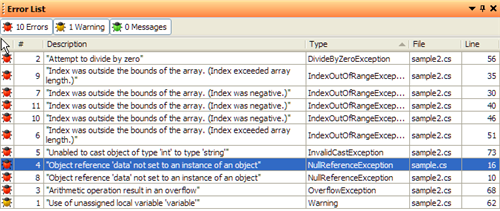
The analysis runs inside Visual Studio. The main editor shows your source code with inline error squiggles. The Error List panel below lists every finding with severity, location, and message. The tool windows on the right show symbolic state — Locals (what values variables can hold), Assumptions (conditions the analyzer has recorded), and the call stack.

Every finding listed with file, line, and a precise description. Findings are ranked by confidence — definite bugs appear at the top, potential issues below.
Errors are underlined at exactly the expression that fails — not just the statement. Hover to see the full symbolic explanation of why the error occurs.
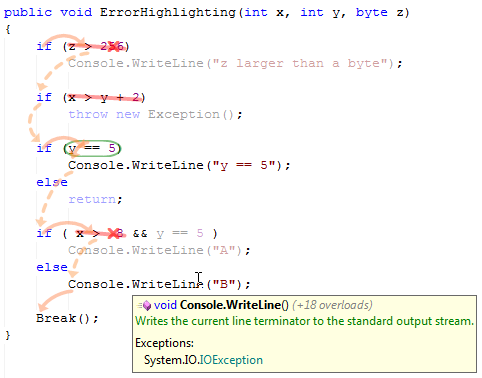
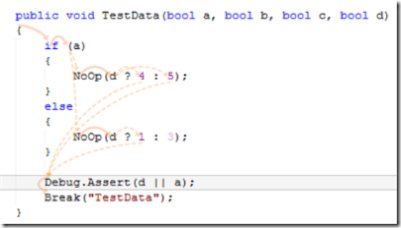
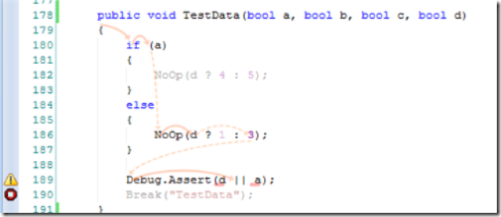
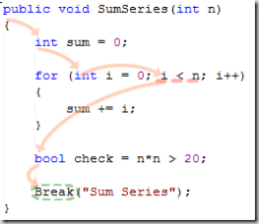
Colored arrows superimposed on source code show every execution path through a method. The path overlay is generated from NStatic's internal symbolic execution model — each arrow represents a real transition between program states. Select any path to inspect the symbolic values at that point.
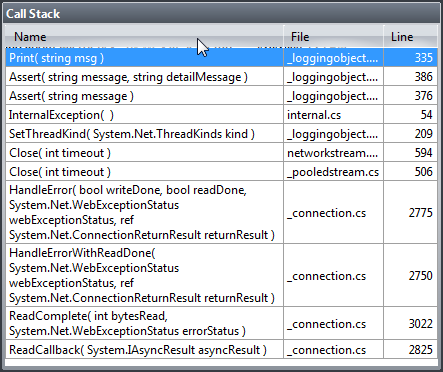
When a bug originates across multiple method calls, NStatic shows the full chain. This call stack is 11 frames deep — the analysis followed the actual call graph, not a summary, and tracked symbolic values through each frame. The Rotor codebase (shared-source .NET runtime) was used as a real-world test target.
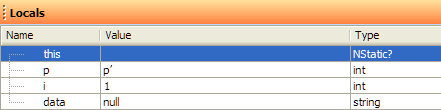
Unlike a debugger's Locals window (which shows one concrete execution), NStatic's Locals shows the symbolic range of possible values at the selected program point — across all possible inputs.
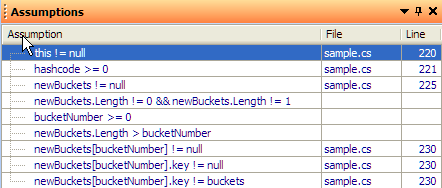
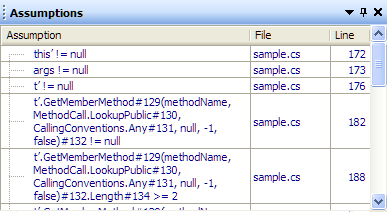
Every condition the analyzer has inferred and recorded — the preconditions it deduced, the branches it took, the assertions it verified. This is the "show your work" panel: full transparency into the reasoning chain.
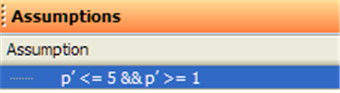
At the top of a conditional block, variables have broad symbolic ranges. The assumption panel shows no constraints yet recorded.
After entering the branch, NStatic records the branch condition as an assumption. The variable's range narrows — subsequent analysis within the branch exploits this constraint.
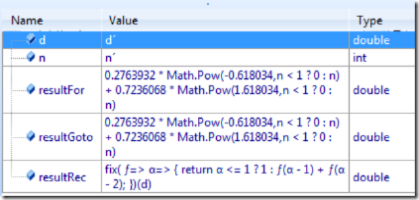
The Locals panel showing the closed-form symbolic value of a Fibonacci loop variable after NStatic solved the recurrence relation. The expression involves the golden ratio — derived automatically from the second-order homogeneous recurrence.
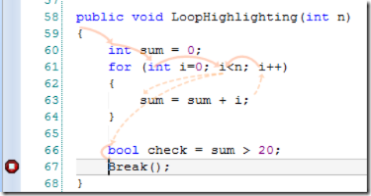
Loop variables are highlighted in the source editor with their inferred symbolic range. NStatic colors variables differently depending on whether their value is fully determined, bounded, or unknown.
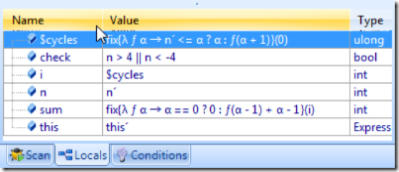
After solving an anonymous recursive loop, the Locals panel shows the symbolic value of each variable on each loop iteration — expressed as a function of the iteration count rather than a single concrete value.
NStatic solves polynomial and algebraic equations symbolically. Here, a loop invariant reduces to a quadratic equation, and NStatic derives the closed-form solution automatically.
Want to see more?
Join the waitlist and we'll send you a full walkthrough video when NStatic enters early access.
Join the Waitlist